Guides
The simple plan for your first sale, a holiday promo or a new launch
sales for Movement creators in the 11 days around last Black Friday, compared to normal
of new sale buyers checked out without an account (Guest Checkout built-in)
orders added an order bump at checkout
Whether it’s your first sale, a holiday promo or a brand-new program launch, this is the simple plan to follow. You don’t need a huge following or a big catalog. You need one clear offer, a simple setup and a plan for telling people about it.
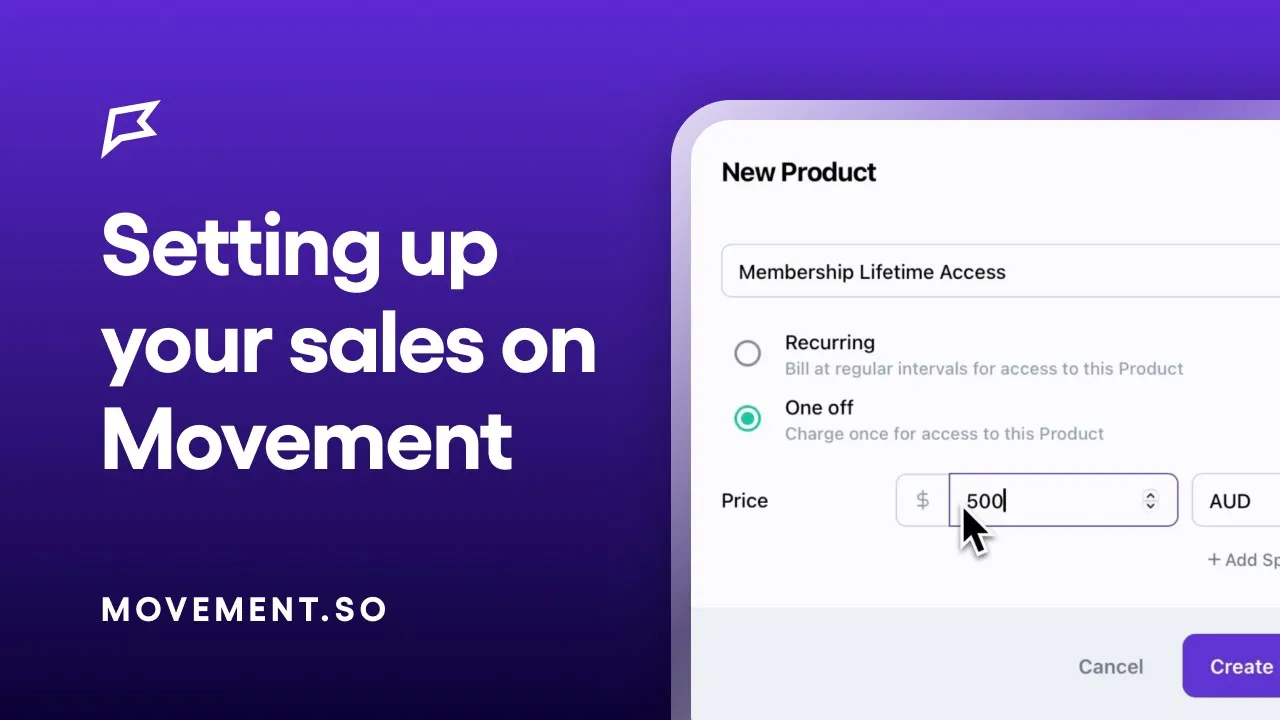
Before you start, watch the video below to start setting up your products on Movement.
The plan at a glance
Step 1
Choose your offer
About 3-4 weeks before
Step 2
Pick your sale window
Open on the big day, close 2 to 3 days after
Step 3
Set it up in Movement
2 weeks before
Step 4
Promote your sale
While your sale is open
Step 5
Run your sale
For a week (or two)
Step 6
Keep selling all year
Between sales
Your toolkit
Videos: Selling on Movement playlist (includes coupons, order bumps & more)
Page templates in Movement: go to Create New > Page > Pick a Template for the App Subscription Sales Page, the Single Product Sales Funnel, the VIP Early Access Landing Page and the Freebies Funnel
Canva templates: video background, was/now price, multi-page reel, phone and tablet, phone and laptop
Email templates: four ready-to-edit emails, near the end of this guide
Step 1: Choose your offer
Do
One offer, one price, one end date.
When
About 3 to 4 weeks before.
Movement Insight
One-off programs and annual plans sell best.
Keep it simple: one offer, one price and one end date. If you can’t explain it in a sentence, it’s too complicated. Find yourself below and start with that offer.
If you…
Sell programs or courses
20% off your best program, plus a bundle if you have two.
Example
20% off your 8-week program, or both programs together for less.
If you…
Only sell a subscription
A discount on your annual plan, or a free program when people join annually. Leave the monthly price as is.
Example
40% off your first year, or join annually and get the 6-week program free.
If you’re…
Launching something new
A launch price or bonus for the first week or two.
Example
25% off for founding members, plus a live Q&A.
If you’re…
New or have a small audience
A low-price challenge that leads into your subscription.
Example
A 14-day challenge.
Why these offers
One-off programs sell best. Last Black Friday they brought in 60% of sale revenue, while monthly sales were lower than usual.
Annual discounts last. 45% of monthly buyers cancelled within 60 days, compared with 3% of annual buyers.
10 to 30% off is enough. What you discount matters more than how deep you go. One creator took 30% off a single program and made $23k over Black Friday. Save your biggest discount for your biggest moment, and use around 10% for smaller holidays.
Bundles sell. One creator’s bundle brought in 43% of their Black Friday sales.
Low-price challenges lead to bigger sales. One creator sold a challenge, then offered a 20% graduate code on her full program. That code brought in about $10.5k.
Discounts don’t bring more refunds. Less than half a percent of discounted Black Friday sales were refunded.
Already have members? Offer your monthly members the annual deal. They’re your easiest sales.
Be clear who it’s for, and who it isn’t. The clearer you are about who your offer helps, the easier it is to sell.
Price on value, not on what others charge. Set your regular price on what your program is worth to the people it helps, then discount from there.
MOVEMENT CREATOR INSIGHT | PRICING
“I thought about what my time, my energy, my product is actually worth… The way I think about things is value for value. I think my program provides a tremendous amount of value, and people get really good results, really quickly.”
— Dr. Mat Frankel, MAS Hips
Step 2: Pick your sale window
Do
Pick your start and end dates, and tell people about them.
When
Right after you choose your offer.
Why
A real end date gives people a reason to buy.
Once you know your offer, put your sale dates in the calendar. A real end date is what gives your audience a reason to act. Pick a moment that fits them:
Black Friday & Cyber Monday. The biggest sales moment of the year. Last year, Movement creators doubled their sales in the 11 days around it.
A holiday that fits your niche, like New Year for fitness, Mother’s Day for parenting, or back-to-school for routines. For creators whose programs fit the occasion, these brought several times their normal sales.
A launch. A new program, challenge or app. The same plan works: a VIP list, an opening day and a real close date.
Your own moments, like your app’s birthday, the start of a new month or the end of a challenge.
Skipping a moment has a cost too. Creators who had run a sale before and then skipped it saw sales drop below their normal level.
Missed the big day? A late sale can still work. One creator launched a code on 3 December, after Cyber Monday, and sold 71 orders that day, compared with a normal 4 to 10.
How long to run it. Last year, the best Black Friday sales on Movement ran 4 to 9 days. Sales peaked on Black Friday, Cyber Monday and the day or two after, not in the days before. So open on or just before the big day, keep it open 2 to 3 days after, and pick one clear end time. One creator’s code expired on Mother’s Day itself and missed the sales that usually come the day after.
Say it out loud. Tell your audience, your members and the people around you, so the date holds you to it. The #1 tip from many of our creators: don’t wait for everything to be perfect.
MOVEMENT INSIGHT
The best Black Friday sales on Movement last year ran 4 to 9 days, and sales peaked on Black Friday, Cyber Monday and the last day.
Step 3: Set it up in Movement
Do
Add a coupon and sale link, build your sales page and order bump, set up a welcome for new members, then test it.
When
2 weeks before.
Why
65% of buyers check out without an account, so the page and checkout do the selling.
▶︎ Watch: How to start selling & How to create coupons on Movement
Add a coupon to your product, set to expire when your sale ends. Each coupon belongs to one product, so add the same code to every product in your sale. On subscriptions, set it to apply once, not forever, unless you want every renewal discounted.
[NEW] make a sale link* Add?coupon=CODEto the end of your sales page or checkout link, like…/your-program?coupon=SALE20. If your link already has a?in it, add&coupon=CODEinstead. Anyone who clicks it gets the code applied at checkout automatically, so nobody has to remember or type it. Test it on every product in your sale: if the code isn’t added to that product, checkout shows full price.Build your sales page from a template. Go to Create New > Page > Pick a Template. Use the App Subscription Sales Page (under Sales Pages) for a membership, or the Single Product Sales Funnel (under Funnels) for a program. Keep it to one offer and one button, show the original price next to the sale price, and say when the sale ends. Mention that buyers don’t need an account and can pay with Apple Pay or Google Pay: last Black Friday, 65% of new sales came from people who hadn’t signed up first.
Add an order bump. Offer one related add-on at checkout. About 1 in 10 buyers add one, more on one-off programs (12%) than on memberships (6%).
The best bumps on Movement are one of three things:A small resource that goes with it. A printable workbook, webinar or a video exercise library that supports the program. These are low-price, easy yeses.
What they’ll need next. One creator selling a pregnancy program offers her labor prep and postpartum programs as bumps.
What helps them get started. Another creator selling a recipe app membership offers a beginner course that teaches the core skill, and about 3 in 10 buyers add one, at full price.
A discount helps: discounted bumps bring in about two-thirds of all bump sales. Show the original price next to the bump price so the saving is clear. And bumps don’t have to be small: the top ones here cost $94 to $249.
▶︎ Watch: How to set up order bumps on Movement
Offer split payments on higher-priced programs. One creator lets buyers split $299 program into two payments. About 9 in 10 payment plans on Movement are paid in full.

MVT CREATOR INSIGHT | ORDER BUMPS
“Over 50% of the people who purchased the webinar added the discounted PDF guide to their order at checkout. I’ve offered the same PDF guide at the same discounted rate via an email to those already in my programs using a discount code, and only 3% purchased.”
— Top Movement Creator
*Selling in the iOS app? Sale links don’t apply in the iOS App Store checkout, so send buyers to your web link during a sale.
Discount
Almost every top bump shows a lower price. Discounted bumps bring in about two-thirds of all bump sales on Movement.
Pairing
Each product gets its own bump. The creator with the most bump sales runs about 17 pairings, so every program offers what comes next.
Fit
The bump goes with what’s being bought: a core library with a core program, labor prep with pregnancy, postpartum after birth.
Get ready for new members
The first few days decide whether a buyer becomes a member who stays. Set these up now, so they run on their own once your sale opens:
Customize your post-purchase email. Go to Sell > your product > Details and toggle on Enable Custom Email. Give buyers the download link, how to log in and one first step, like “Start Day 1 of the program today.”
Make a “Start here” spot on your home page. A welcome video block or a short page with three things: download the app, turn on notifications, start your first workout. If you use segments, show it only to new members.
Post a welcome thread in your community. Ask new members to introduce themselves with a simple prompt, like “Where are you at and what’s your goal?”, and reply to every one.
Send a push notification on day 2 or 3 to anyone who hasn’t started, with a link to their first workout.
Start everyone together. A challenge or a shared start date, like a January challenge, gives new members a reason to show up in the same week.
Check in at week two. A short form inside your program asks how it’s going. The answers tell you who needs help, and the good ones become your next testimonials.
Give members something to share, like a “bring a friend” offer or a prize draw for a free month. One creator hands these out at her community events because “the referral effect is really, really powerful.”
Then test it. Buy your offer on your phone with the code, as a new member would, and check your welcome email arrives. Then switch off any test codes.
Step 4: Promote your sale
Do
Switch your comment-to-DM flow over to your sale, and post at least one sale post.
When
The day your sale opens, then switch it back when it ends.
Why
Most sale buyers come from Instagram, and a comment keyword gets them the code and link in seconds.
Most of your sale buyers will come from Instagram or TikTok. The creators who sell often take the comment-to-DM flow they run all year (see Step 6) and switch it over to their sale for a few days. No flow yet? One sale post with a comment keyword works well on its own.
How to switch it over
In the week before, keep posting your usual content and mention the sale in a caption, like “P.S. My Black Friday sale starts tomorrow.”
When the sale opens, change your comment keyword to SALE or BLACKFRIDAY, and set your DM to send your sale link, so the code is already applied.
Post at least one sale post that leads with the offer, like “50% off yearly memberships. Comment SALE and I’ll DM you the code.”
Switch the keyword on reels that are doing well, so new comments get the sale too.
Send the same offer by email, using the templates below, for anyone who isn’t on Instagram that week.
When the sale ends, switch your keyword and DM back to your freebie.
How our creators ran it last Black Friday
One creator kept posting their usual free-guide reels in the lead-up, then added a P.S. to one the day before: their Black Friday sale started tomorrow, and it’s the biggest sale they run all year. Once it opened, they switched the comment keyword on a reel to BLACK FRIDAY, then changed it back to the free guide after the sale. The week after, they posted a reel offering a free trial of the app to anyone who commented.
A postpartum physio ran her whole sale from a single post: 50% off yearly memberships, with “comment SALE” to get the code by DM. She’d had twins a few weeks earlier, so one post and an automation did the work.
Another physio started earlier. Two weeks before Black Friday, she mentioned her sale in the first line of one of her usual freebie reels, so everyone commenting for her free program saw it too.
Keep it going after the weekend. In December, one creator ran 12 days of giveaways, giving away app memberships each day.
Give your list early access. Open your sale to your members and email list 24 to 48 hours before everyone else, with the link by email and a post in your community. A bonus that disappears when the sale goes public works well too.
Big sale or launch?
Build a VIP list
For Black Friday and other big moments, many creators build a VIP list or waitlist, so people sign up to hear first and get in early. Start 2 to 3 weeks before:
Make a VIP page. Go to Create New > Page > Pick a Template > Funnels and choose the VIP Early Access Landing Page.
Give people a reason to join, like 24 to 48 hours of early access, a bonus only VIPs get, or a founding-member price for a launch.
Share it everywhere: your link in bio, stories, your community feed, and “comment VIP and I’ll send you the link.”
Step 5: Run your sale
Do
Early access for your members and list, then open to everyone, then a last call. After, measure what worked.
When
Your sale week.
Why
Last Black Friday, sales climbed through the weekend and peaked on Cyber Monday.
Run it for about a week: two days of early access for your members and list (or your VIP list), then four or five days open to everyone. Put your time zone on your sales page. If your sale is tied to a holiday, keep it open a day or two after: last Black Friday, sales for typical Movement sellers climbed through the weekend and peaked on Cyber Monday.
Day 1
Early access opens
Your link and bonus
Post
Stories: “Members and VIPs, check your inbox”
Day 3
Open to everyone
The offer, what’s inside, the link
Post
Feed post, stories, pin in community, push notification
Middle days
Keep it going
Optional: a member story or FAQs
Post
Member wins and a look inside your app
Second-last day
Last call
It ends tomorrow
Post
Countdown sticker and a push notification
Last day
Final hours
It closes tonight
Post
Last-hours stories, then end the sale
Running a Black Friday sale this year? Open for your waitlist on Tuesday 24 November, go public on Black Friday (27 November), send your last call on Cyber Monday (30 November) and close at midnight on Tuesday 1 December.
In every post
Name the code and the discount, like “use code SALE20 for 20% off all programs.” For one creator, the code named in their posts carried over 75% of their Black Friday sales.
Keep graphics simple. Lead with the sale and the offer, and put the details in your caption. Start from the Canva templates in your toolkit.
Automate replies. A tool like ManyChat can DM your link or code to anyone who comments a keyword. During your sale, send your sale link, not a link to your app.
Put your sale link in your bio for the whole sale.
“Recently, I have used ManyChat to automatically send a discount code to those who comment on posts. This has been really successful and increases engagement as well.”
— Jess Jenkins, The Mama Physio
No email list? Lean on stories and posts with a Manychat automation with commenting or DM for the sale link/code.
After the sale
Switch your flow back. Point your comment keyword and DM back to your freebie, so new people keep coming in.
Measure it. Compare your sale with a normal week, then check again four weeks later, since sales can dip after a sale ends.
Note what worked. Which code, email and post brought in the most sales?
Do it again. Run the same offer at the same moment next year. Creators who repeat a sale tend to grow it year on year.
Step 6: Keep selling all year
Do
Run a comment-to-DM flow and freebie page every week, and grow your email list.
When
All year, between sales.
Why
It brings in new members between sales, and it’s ready to switch over for your next one.
Your sale ends, but your sales flow doesn’t have to. Most of our top creators use the same flow all year to get people from a post into Movement: a reel, a comment keyword, an automated DM from ManyChat and a freebie page with your offer on it. Set it up once and it brings in new members between sales, ready to switch over the next time you run one.
How the flow works
Post a reel showing an exercise or movement that helped you, or one you’re doing right now.
End with a comment prompt, like “Comment CORE for my free workout” or “Comment PREVIEW for a free taste of my program that helps with [problem].”
ManyChat sends a DM automatically, with a quick verification step first, like a button they tap to confirm, then the link.
The link goes to your freebie page in Movement. Start from the [freebie page template], with the free workout or preview at the top, an email sign-up and one button to your program or membership. Leave off any countdown, so it works all year.
Follow up by email with your offer, using the email templates below.
[Example: a creator’s reel, their ManyChat DM and their freebie page, with the sales page linked]
Full walkthrough, with the ManyChat setup and examples: [Link: The Comment-to-DM Funnel guide]
What it looks like week to week
One physio posts a reel most weeks with the same keyword: comment PLAN for her free first six weeks postpartum workout plan. Every few weeks she swaps in a direct offer instead: comment MOVE for 25% off and a free trial of her app.
One physio rotates a few freebies by stage: a postpartum recovery guide, a pregnancy mobility guide and a birth prep flow. Her newer reels offer a free preview of one of her programs instead of a PDF.
Another creator pairs each freebie with the program that follows it, like a free C-section guide plus the program to rebuild after one.
Before you post
Turn the automation on before the post goes live. Anyone who comments earlier won’t get the DM.
Test it yourself by commenting from a second account.
Start capturing interest from your very first post, and add your comment prompt to the posts that already do best.
“Every week I’ve posted testimonials, because within the program I have members fill out a weekly form that I use as testimonials. And I’ll do a sales reel with a CTA: ‘Comment FIX and you’ll get a link to my six-week program.”
— Dr. Mat Frankel, MAS Hips
Your weekly rhythm
Between sales, mix three kinds of posts each week, so people learn from you, see it works and know where to buy.
1
Teach
Talk about the problem
Tips and exercises for the problem your offer helps with.
Tip
End with your comment prompt for your freebie.
2
Prove
Show it works
A member result, a testimonial or a message from someone who tried your free content.
Tip
A weekly check-in form makes these easy to collect.
3
Offer
Ask for the sale
A direct offer, like “comment MOVE for 25% off and a free trial of my app.”
Tip
Every few weeks, swap your freebie keyword for this.
Start your email list
Instagram decides who sees your posts. Your email list is the one audience you own, and it’s where your sale emails land. You don’t need a big list to start, and it’s easiest to build it into the flow you already run:
Pick an email platform. Kit, Flodesk and Mailchimp are popular with creators, and some have free plans to start.
Ask for an email on your freebie page. The freebie page template has an email sign-up. Connect it to your platform with Zapier, so every sign-up lands on your list.
Or ask for it in a DM. ManyChat can ask for an email before it sends the link, and pass it straight to your email platform.
Add your members and buyers. Connect Movement to your platform with Zapier, so everyone who joins or buys is added and tagged.
Put a sign-up in your bio, like your freebie page or VIP page.
Send a welcome email automatically, with the freebie, a few lines on who you are, and one link to your program.
Email regularly, even every two weeks: a tip, a member win, what’s new in your app. A list that hears from you all year opens your sale emails.
Grow it on purpose before a big sale with a VIP list (Step 4).
Email templates
Copy these into your email platform and fill in the [brackets]. Send them from your own name, keep each to one primary offer, and put the code and end date in every email, because most people only open one or two. Point every button at your sale link, so the code is already applied.
What makes a sale email work
Say why now. If you rarely run sales, say so. A real reason and a real end date do more than a bigger discount.
Make the offer impossible to misread: the discount, the code, what it applies to, and exactly when it ends, with your time zone.
Show what’s inside. A short list of what members get, grouped by goal or stage, helps people see the value, especially for a membership.
Give them a reason to start now, like a challenge or new program in January that people who join in the sale will already be in for.
Spell out how to buy in three or four steps: tap the button, pick your plan, add the code.
Finish with one button and a P.S. that repeats the code and the deadline.
One creator’s Black Friday email opened by saying she only runs a sale twice a year. It listed everything in her membership, mentioned a New Year’s challenge that new members would already be in for, then finished with four how-to-buy steps and one button.
Tip: tag buyers in your email platform (Zapier can do this when someone buys in Movement), so people who’ve joined stop getting sale emails and get your welcome emails instead.
1
2 to 3 days before
Heads up
Subject: Mark your calendar for [day]
Preview text: My [Black Friday] sale opens soon, and you get in first
Hi [first name],
My [Black Friday] sale opens on [day]. [It’s the only sale I run this year / I don’t do these often], so if you’ve been waiting to join, this is the one.
[One line on what will be on sale, like 30% off my 12-week program or 40% off the yearly membership.]
Because you’re [a member / on my list], you’ll get it 48 hours before everyone else. Watch your inbox on [day].
[Your name]
2
Day 1
Early access
Subject: You’re in early
Preview text: [X]% off for the next 48 hours, just for you
Hi [first name],
As promised, you get first access. [Your offer] is open now, just for [my members / my VIP list], before it opens to everyone on [day].
Here’s what you get:
[The program or membership, and who it’s for]
[The two or three things inside that matter most]
[Early access bonus, if you have one]
How to join:
Tap the button below
Choose [the membership or a program]
Use code [CODE] at checkout
[Button: Get early access]
[Your name]
P.S. Code [CODE] works until [day, time and time zone].
3
Day 3
Open to everyone
Subject: [X]% off [your program], until [day]
Preview text: Code [CODE], ends [day]
Hi [first name],
[Your offer] is open now, until [day, time and time zone].
[Two lines on the problem it solves and who it’s for, in your own words.]
A peek inside:
[Group 1, like pregnancy programs]
[Group 2, like postpartum programs]
[Group 3, like weekly workouts or pain relief plans]
[If something’s coming up:] Join now and you’ll already be in for [the January challenge / the new program] on [date].
How to join:
Tap the button below
Choose [the membership or a program]
Use code [CODE] at checkout
[Button: Join now]
[Your name]
P.S. [Your offer] ends [day]. [If true: Everything in the membership is included. Nothing is locked or extra.]
4
optional, middle of the sale
A member story
Subject: “[A short line from a member]”
Hi [first name],
I wanted to share a message from [member’s first name, with permission]. [Two or three lines: where she started, what she did in the app, what changed.]
If that sounds like where you are, [your offer] is still [X]% off until [day].
[Button: Start today]
[Your name]
No story yet? Answer the three questions you get asked most instead, like “Do I need equipment?” or “What if I’m only a few weeks postpartum?”
5
second-last day
Last call
Subject: Ends tomorrow
Preview text: Last chance for [X]% off [your offer]
Hi [first name],
A quick reminder that [your offer] ends tomorrow at [time and time zone]. After that, it’s back to [regular price].
[One member win, or the most common question answered in a line.]
[Button: Join now]
[Your name]
6
last day
Final hours
Subject: Closing tonight
Preview text: [Your offer] ends at [time]
Hi [first name],
[Your offer] closes at [time] tonight ([time zone]). After that, it’s back to [regular price][ and the bonus is gone].
If you’ve been thinking about it, this is the one.
[Button: Join before it closes]
[Your name]
Each reel, story, or ad you create promotes your offering to existing followers and attracts potential customers who may not have encountered your brand before. To get you started, we’ve put together a collection of free Canva templates for social media, ready to customize with your screenshots and promotional offer. All templates are designed with video and animation in mind to maximise their visual impact and potential for organic reach.
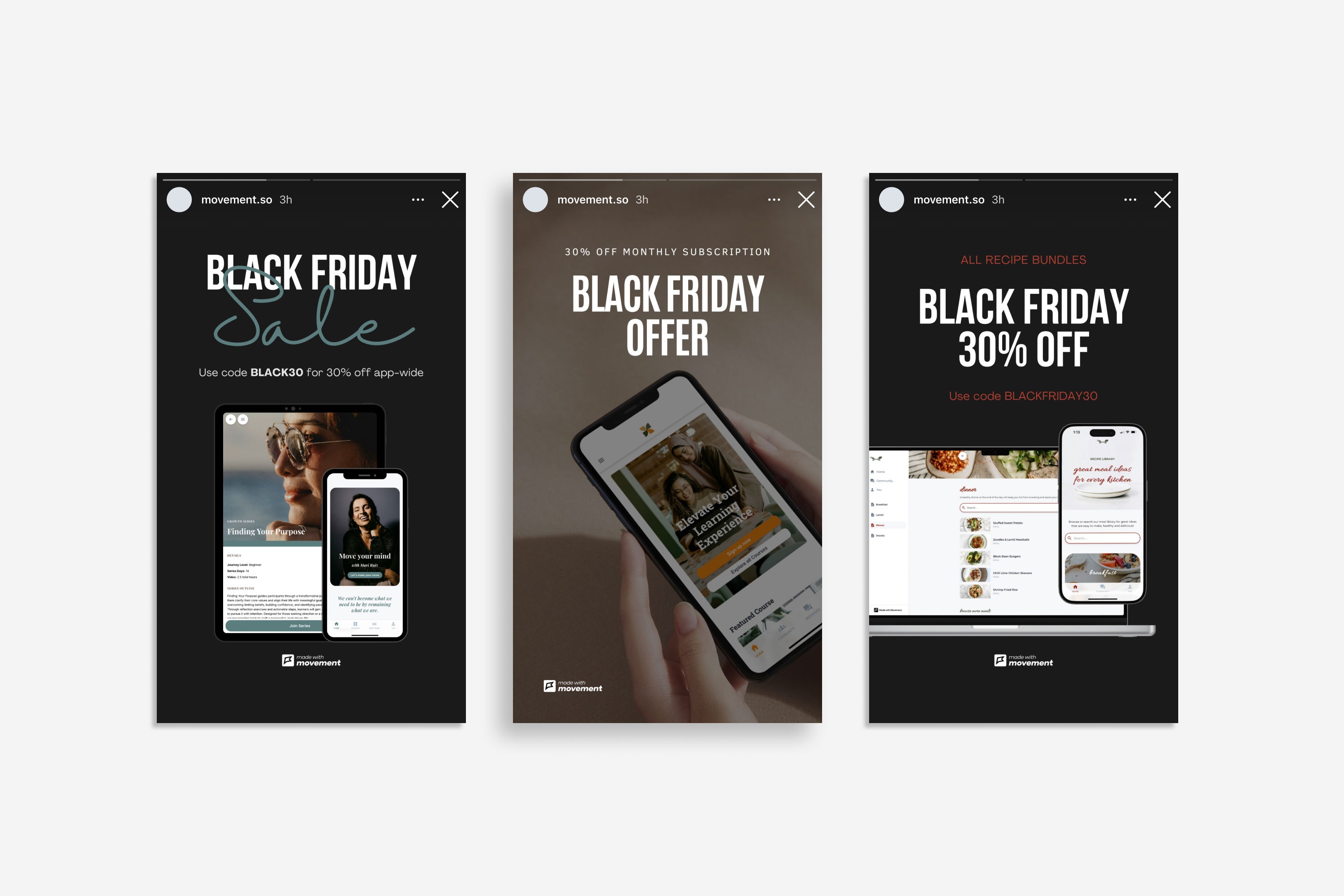
If you’re new to Canva, take a quick look at the video below to help get you started using the templates. You can also check out our other Canva templates in our guide 5 social media posts to promote your app.
Your sale checklist
4 weeks before
Choose your offer and pick your sale window
Connect Movement to your email platform with Zapier
Note your usual weekly sales
2 to 3 weeks before
Tell your members and list they’ll get early access (big sale or launch: publish a VIP page and share it)
Add a coupon to each product in your sale
Make your sale link and test it on every product
Build your sales page from a template
Add an order bump
Add a Promo block to your app
Customize your post-purchase email
Set up your welcome: a “Start here” block, a community welcome thread and a day-2 push
Write your emails and make your graphics from the templates
Test the purchase on your phone, then switch off test codes
Sale week
Day 1: open early access for your members and list
Day 3: open to everyone
Switch your comment keyword and DM to your sale
Second-last day: last call
Last day: close the sale
After
Welcome new members in your community
Switch your keyword and DM back to your freebie
Note what worked for next time
Compare your sales with a normal week, then again 4 weeks later
Free Canva social media templates