Migrating to Movement
How to migrate from Passion.io to Movement
A practical guide covering your content, your members, and your Stripe subscribers—so you can move without losing your business.
Migrating to Movement
How to migrate from Passion.io to Movement
A practical guide covering your content, your members, and your Stripe subscribers—so you can move without losing your business.
why creators LEAVE PASSION
You're not imagining it. This is what we hear often.
These aren't isolated complaints—they're patterns from many Passion.io creators who've made the switch to Movement.
Not sure if Movement is the right fit? See a full feature and pricing breakdown
Movement vs. Passion.io
Not sure if Movement is the right fit? See a full feature and pricing breakdown
Movement vs. Passion.io
Not sure if Movement is the right fit? See a full feature and pricing breakdown
Movement vs. Passion.io
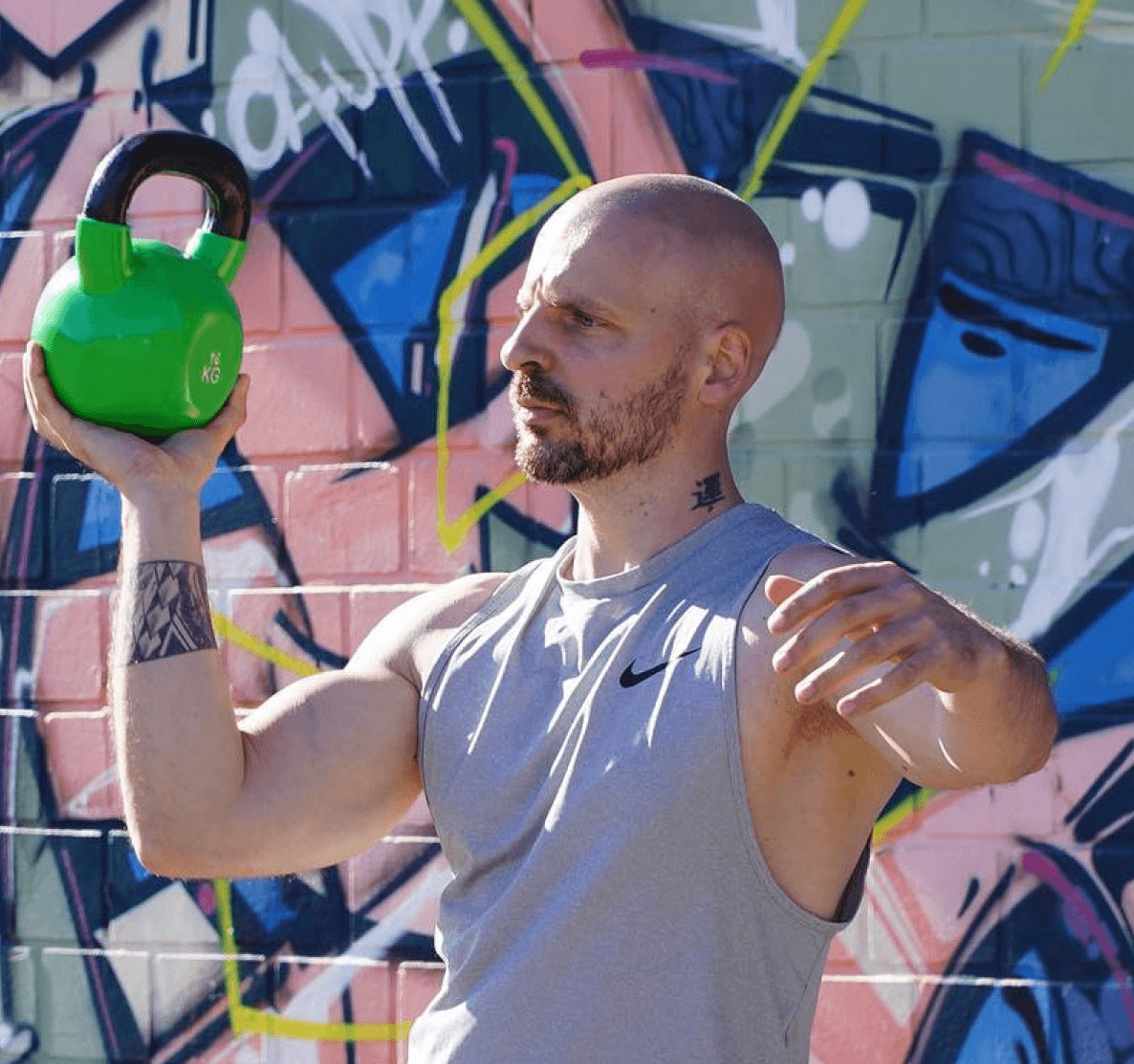
"I started on Passion.io to create a fitness app for my team and clients and develop my audience. I've been building my content & database for five years, but I never felt confident pushing it to market because there was always something wrong—videos loading slowly, images cropped incorrectly, features that didn't work. It never felt professional enough to go all-in on marketing."
Kevin, K-Fit
"I started on Passion.io to create a fitness app for my team and clients and develop my audience. I've been building my content & database for five years, but I never felt confident pushing it to market because there was always something wrong—videos loading slowly, images cropped incorrectly, features that didn't work. It never felt professional enough to go all-in on marketing."
Kevin, K-Fit
"I started on Passion.io to create a fitness app for my team and clients and develop my audience. I've been building my content & database for five years, but I never felt confident pushing it to market because there was always something wrong—videos loading slowly, images cropped incorrectly, features that didn't work. It never felt professional enough to go all-in on marketing."
Kevin, K-Fit
the migration process
Here's exactly how it works.
Send your migration email, launch to your full audience, and cancel Passion.io on your schedule.
Start your free Movement account.
Create your Movement account on the free plan. You can build, test, and invite real members to your app before spending anything. This gives you time to migrate properly — not under pressure of a billing deadline.
✓ Free plan. No credit card. No time limit.
Rescue your content from Passion.io
This is the most time-sensitive step. Passion.io does not offer a bulk export — your videos and audio are stored inside the platform only. If you cancel before you've retrieved your files, you may lose access. Start by downloading everything you have to local storage or a drive (preferably Dropbox, if you don't have a solution already), then upload to Movement's media library. We can assist with bulk content imports if you have a large library, and can import YouTube playlists with ease.
⚠ Download your files before cancelling Passion.io — there is no export tool.
Build your Movement app
Use Movement's templates and drag-and-drop builder to recreate your app structure. Most creators who've used Passion.io find Movement's builder faster and more flexible: your courses, community feeds, and content pages can be set up in days, not weeks. Our support team is available via live chat on all plans to guide you through any step.
✓ Live support on every plan - you don't have to go at this alone.
Transfer your Stripe subscribers
If your members pay via Stripe, their subscriptions can be transferred to your Movement account without requiring them to re-enter payment details. This is the cleanest migration path — no interruption to their billing, no friction asking them to sign up again. Send us your Stripe account details and we'll walk you through the transfer process step by step.
✓ Stripe subscriber transfer — no re-entry of payment info for your members.
Tell your members & go live 🎉
Once your app is built and your members are transferred, send a migration email introducing your new app. We recommend framing it as an upgrade, because it is. Share the new app link, explain how they access it (add to home screen on mobile), and give a short walkthrough of what's changed. Then cancel Passion.io on your terms, not theirs.
✓ We can provide a migration email template to send to your members.

"Since moving my app to Movement [from Passion.io], I have been SO proud to show it off, which has directly impacted my sales. I created three new programs in my first year with Movement had two of my biggest launches ever! "
— Courtney, Keeping Balance Method
"Since moving my app to Movement [from Passion.io], I have been SO proud to show it off, which has directly impacted my sales. I created three new programs in my first year with Movement had two of my biggest launches ever! "
— Courtney, Keeping Balance Method
"Since moving my app to Movement [from Passion.io], I have been SO proud to show it off, which has directly impacted my sales. I created three new programs in my first year with Movement had two of my biggest launches ever! "
— Courtney, Keeping Balance Method
What You Bring With You
You don't start from zero.
Here's what transfers from Passion.io to Movement — and what Movement gives you that you didn't have before.
Realistic Timeline
Most creators are fully live in 2–4 weeks
Here's what a typical self-build migration looks like week by week
Week 1
Build & Test
Create a free Movement account, download your Passion.io content, and start building your app structure.
Week 2
Upload & Adjust
Upload your content library, set up your courses, configure payments and access rules.
Week 3
Move Members
Migrate Stripe subscribers, soft-launch to a small group of members to test the experience.
Week 4
Go Live
Send your migration email, launch to your full audience, and cancel Passion.io on your schedule.
Week 1
Build & Test
Create a free Movement account, download your Passion.io content, and start building your app structure.
Week 2
Upload & Adjust
Upload your content library, set up your courses, configure payments and access rules.
Week 3
Move Members
Migrate Stripe subscribers, soft-launch to a small group of members to test the experience.
Week 4
Go Live
Send your migration email, launch to your full audience, and cancel Passion.io on your schedule.
Week 1
Build & Test
Create a free Movement account, download your Passion.io content, and start building your app structure.
Week 2
Upload & Adjust
Upload your content library, set up your courses, configure payments and access rules.
Week 3
Move Members
Migrate Stripe subscribers, soft-launch to a small group of members to test the experience.
Week 4
Go Live
Send your migration email, launch to your full audience, and cancel Passion.io on your schedule.
Want it done for you?
If you'd rather not manage the migration yourself, Movement's Done For You service handles everything – from app build to content upload to member transfer. You brief, we build.
✓ Full app build by the Movement team
✓ Content and media upload handled for you
✓ Stripe subscriber transfer managed end-to-end
✓ Member migration email drafted for your audience
✓ Live within 30 days of kickoff
✓ Handover with full training on your new platform
Want it done for you?
If you'd rather not manage the migration yourself, Movement's Done For You service handles everything – from app build to content upload to member transfer. You brief, we build.
✓ Full app build by the Movement team
✓ Content and media upload handled for you
✓ Stripe subscriber transfer managed end-to-end
✓ Member migration email drafted for your audience
✓ Live within 30 days of kickoff
✓ Handover with full training on your new platform
Want it done for you?
If you'd rather not manage the migration yourself, Movement's Done For You service handles everything – from app build to content upload to member transfer. You brief, we build.
✓ Full app build by the Movement team
✓ Content and media upload handled for you
✓ Stripe subscriber transfer managed end-to-end
✓ Member migration email drafted for your audience
✓ Live within 30 days of kickoff
✓ Handover with full training on your new platform
Creators who made the switch
Hear why coaches and creators across health, wellness, and beyond built their own Movement app—on their terms.

Chase Tucker
Hiking & Mountaineering Coach
I've tried so many—MyCoach, JustCoach, Trainerize, MyPTHub, Passion, Everfit. White labels like Passion.io didn't have the flexibility and functionality I needed, whereas more complex personal training software solutions didn't allow the clean user experience and scalability I was after.

Tamara
Divorce Coach
I started with Passion.io and found that it wasn't quite the right fit. It didn't have the functionality I wanted. Movement was easy to use and allowed me to create a unique branded app in a fraction of the time and cost it would have taken me to design something similar with developers. I also loved that I could pull from stock photos to use in my content creations.

Haylie
Certified Personal Trainer
I've been using every possible platform to try to create the perfect app for my clients for the past 6 years and I felt that none of them allowed me the customization that I needed to provide the best mental health and physical coaching.
Kevin Linden
Fitness Coach
I was very disappointed after 4-5 years with Passion.io and finally decided to move to a competitor. Movement propose features that are better and very interesting: notes on every training, a calendar to plan sessions, and other functionality. I also very much appreciate the stability of the app.

Orsika
Running Coach
I wanted to create a visually compelling app. It was also important to me that I can have everything in one place: run programs, strength workouts, articles, online tools... I tried Passion.io before and Movement is way more user-friendly to build, looks nicer and not too pricey!

Dr. Mae Hughes
Pelvic Floor Physical Therapist
Movement is perfect for anyone looking to create a fitness program for many or individuals...or even for those not looking to create a fitness program! It is so customizable that any online course creator could create a custom app through Movement to house their courses. I cannot recommend enough.
Courtney Babilya
NASM Certified Personal Trainer
Before Movement, I was using Passion. It wasn't focused on fitness, so the features were very limited. My users had to use a separate app for tracking, and I had zero insights into user activity on my app. I used to have my app exclusively in the app stores, and it felt like I had to be a tech expert just to keep my app live.

Hannah Antony
Physiotherapist
I was looking for an accessible, user-friendly alternative to sharing injury rehab programs through PDFs or spreadsheets. Creating my app allowed me to provide quality programs to clients and to a larger audience.

Jess Jenkins
Pelvic Floor Physio
My goal was to reach the same number of members I had on my old platform. I reached this goal within a few months and have since seen a 400% increase in members over two years with Movement! The features of the platform have also meant that I could add more programs, challenges, an on-demand library, messaging, and educational content.

Mahesh
MoonRise
The app store requirements and policies have impacted my business goals by limiting my pricing flexibility and revenue share models, as well as restricting certain types of functionality or content.

Wes
Hoops & Hustle
Web apps give us total control over our platform, allowing us to set our own policies and pricing. This ensures we can provide the best possible experience for our members, free from external influences.

Caitlin
Heavily Heditated
The truth is, even though you're paying a huge commission to the app stores for the privilege of having them distribute your app, you really don't get anything in exchange. Unless you're paying for visibility, you're not being seen. The market is so saturated on the app stores and in my experience, the only apps being seen are the big players who have vast budgets and huge marketing teams behind them.
Mahesh
MoonRise
Thank you to the team at Movement. Your work is making life easier for creators like me, giving us peace of mind, helping us sleep better, and saving us money and headaches in navigating the app store landscape and creating impact.
Wes
SoulSessions
We've chosen to offer SoulSessions as a web app to ensure a consistent experience across all devices and to maintain our freedom to innovate without the constraints of app stores. This allows us to focus on delivering high-quality soundscapes directly to our users and to avoid the fees associated with app stores.

Shaun
Fairway Performance
I wanted to scale to many clients quickly and be able to do all of the backend work myself without having to hire a developer team or struggling with the app stores every time I wanted to make changes.
Caitlin
Heavily Meditated
Another challenge was jumping through the hoops the app store sets up. If they update something in their system, your app could stop working and costs thousands to fix. Furthermore, if the app store rolls out a new requirement for apps (for example, the ability for a user to delete their account in one step), you're forced to make the change in your app at your own expense and in a finite timeline. Tough for a small business to absorb costs like this!
Mahesh
MoonRise
In a few words, I'd describe the app store process as ‘Complex, costly, and constantly evolving’. Before launching on the App Stores, I wish I had known the true scope of marketing efforts required for visibility and the complexities of managing user reviews and ratings.

Adolfo
Ekilibra
In the startup where I started (wOS), we had our own app. However, the costs were very high, and we lacked agility. We decided to migrate to a solution that would allow us to offer our content but with the advantages of being much more accessible and adaptable. That's how we found Movement, and we are very pleased with this solution.

CJ
Fitness Trainer
I had previously built a custom built app. Due to ongoing developer issues and dilemmas with Apple, I had a choice to either close down or rebuild. Overwhelmed at the thought of rebuilding, I came across Movement. Best. Decision. Ever.
Caitlin
Heavily Meditated
The biggest challenge I faced with the app stores was controlling costs. Everything costs money—whether you need to fix a bug in the app or want to roll out a new feature—I was responsible for footing the bill for everything. And often the actual costs were much higher than estimated costs. Further to that, paying developers overseas in USD made estimating costs really hard as exchange rates are constantly fluctuating.
Common migration questions
Will my members have to re-enter their payment details?
If your members pay via Stripe, no — their subscriptions can be transferred to your Movement account without any action on their part. We handle the Stripe migration with you directly. If members pay through Passion.io's native App Store billing (Apple/Google), those subscriptions cannot be transferred and members would need to re-subscribe through Movement.
How do I get my videos and content out of Passion.io?
Passion.io does not provide a bulk export tool — this is one of the most common pain points we hear. You'll need to download your video and audio files directly from your Passion.io admin panel before cancelling your account. We strongly recommend doing this before you do anything else. Once your files are downloaded, Movement's team can assist with bulk upload to your new app.
How long does migration take if I do it myself?
Most self-build migrations take 2–4 weeks from start to fully live. The timeline depends mostly on the size of your content library and how quickly you can download files from Passion.io. If you're working with the Done For You service, most builds are completed within 30 days of kickoff.
What happens to my App Store listing on Passion.io?
Movement uses Progressive Web App (PWA) technology — your app works beautifully on any device through a browser, and members can add it to their home screen for a native app experience. There's no App Store submission required, which removes a major source of the challenges Passion.io creators experience. If an App Store listing is important for your brand, Movement's Business plan supports publishing to both the Apple App Store and Google Play.
Do I need to cancel Passion.io before I start on Movement?
No, and we'd recommend against it. Start your Movement account, build your app, and test it with a couple real members before cancelling. Only cancel Passion.io once you're confident your Movement app is ready and your members have been migrated. You may run both platforms in parallel for a short period.
Can Movement's team help me if I get stuck?
Yes! Live chat support is available on every Movement plan. You don't have to be on a high tier to get help. For creators who want hands-on support throughout the migration, the Done For You service is available at a fixed cost and includes designated content upload, app build, and member migration managed by the Movement team.
Common migration questions
Will my members have to re-enter their payment details?
If your members pay via Stripe, no — their subscriptions can be transferred to your Movement account without any action on their part. We handle the Stripe migration with you directly. If members pay through Passion.io's native App Store billing (Apple/Google), those subscriptions cannot be transferred and members would need to re-subscribe through Movement.
How do I get my videos and content out of Passion.io?
Passion.io does not provide a bulk export tool — this is one of the most common pain points we hear. You'll need to download your video and audio files directly from your Passion.io admin panel before cancelling your account. We strongly recommend doing this before you do anything else. Once your files are downloaded, Movement's team can assist with bulk upload to your new app.
How long does migration take if I do it myself?
Most self-build migrations take 2–4 weeks from start to fully live. The timeline depends mostly on the size of your content library and how quickly you can download files from Passion.io. If you're working with the Done For You service, most builds are completed within 30 days of kickoff.
What happens to my App Store listing on Passion.io?
Movement uses Progressive Web App (PWA) technology — your app works beautifully on any device through a browser, and members can add it to their home screen for a native app experience. There's no App Store submission required, which removes a major source of the challenges Passion.io creators experience. If an App Store listing is important for your brand, Movement's Business plan supports publishing to both the Apple App Store and Google Play.
Do I need to cancel Passion.io before I start on Movement?
No, and we'd recommend against it. Start your Movement account, build your app, and test it with a couple real members before cancelling. Only cancel Passion.io once you're confident your Movement app is ready and your members have been migrated. You may run both platforms in parallel for a short period.
Can Movement's team help me if I get stuck?
Yes! Live chat support is available on every Movement plan. You don't have to be on a high tier to get help. For creators who want hands-on support throughout the migration, the Done For You service is available at a fixed cost and includes designated content upload, app build, and member migration managed by the Movement team.
Common migration questions
Will my members have to re-enter their payment details?
If your members pay via Stripe, no — their subscriptions can be transferred to your Movement account without any action on their part. We handle the Stripe migration with you directly. If members pay through Passion.io's native App Store billing (Apple/Google), those subscriptions cannot be transferred and members would need to re-subscribe through Movement.
How do I get my videos and content out of Passion.io?
Passion.io does not provide a bulk export tool — this is one of the most common pain points we hear. You'll need to download your video and audio files directly from your Passion.io admin panel before cancelling your account. We strongly recommend doing this before you do anything else. Once your files are downloaded, Movement's team can assist with bulk upload to your new app.
How long does migration take if I do it myself?
An app that you can open from any device with a simple URL. No downloads or installation required, and super easy to share. It performs like a native app but there’s no need to deal with the App Stores. We wrote an article to outline the benefits here.
What happens to my App Store listing on Passion.io?
Movement uses Progressive Web App (PWA) technology — your app works beautifully on any device through a browser, and members can add it to their home screen for a native app experience. There's no App Store submission required, which removes a major source of the challenges Passion.io creators experience. If an App Store listing is important for your brand, Movement's Business plan supports publishing to both the Apple App Store and Google Play.
Do I need to cancel Passion.io before I start on Movement?
No, and we'd recommend against it. Start your Movement account, build your app, and test it with a couple real members before cancelling. Only cancel Passion.io once you're confident your Movement app is ready and your members have been migrated. You may run both platforms in parallel for a short period.
Can Movement's team help me if I get stuck?
Yes! Live chat support is available on every Movement plan. You don't have to be on a high tier to get help. For creators who want hands-on support throughout the migration, the Done For You service is available at a fixed cost and includes designated content upload, app build, and member migration managed by the Movement team.
Ready to get started?
Start creating your Movement for free—no commitment and no credit card required.
Ready to get started?
Start creating your Movement for free—no commitment and no credit card required.